Ordering platform
Brasa
Online ordering, a kitchen display and a manager view for a wood-fire grill.
- Type
- Ordering platform
- Platform
- Web, kitchen screen, back office
- What we did
- Service design, Visual design, Live ordering, Kitchen and manager tools
- Origin
- In-house product
- Year
- 2026
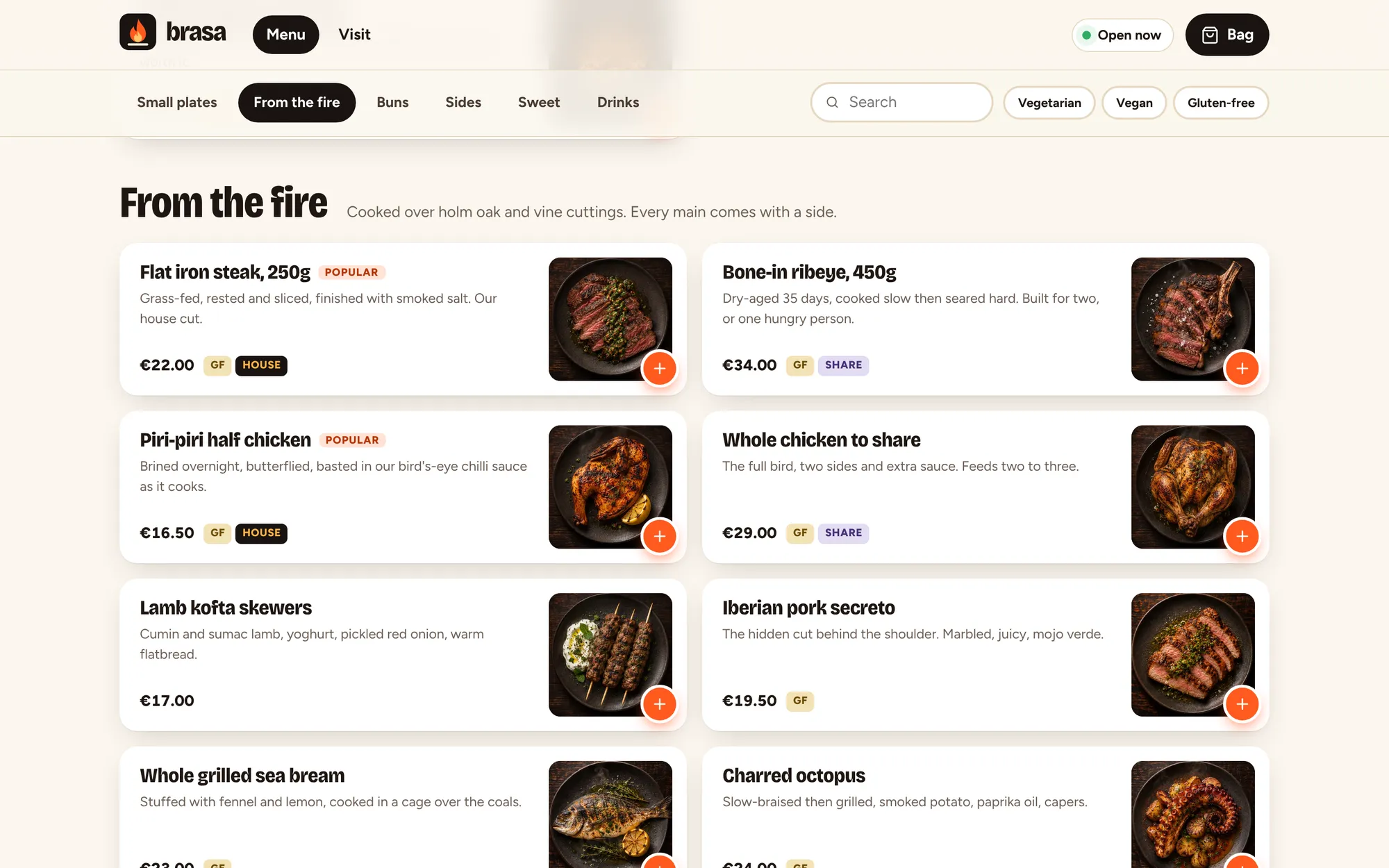
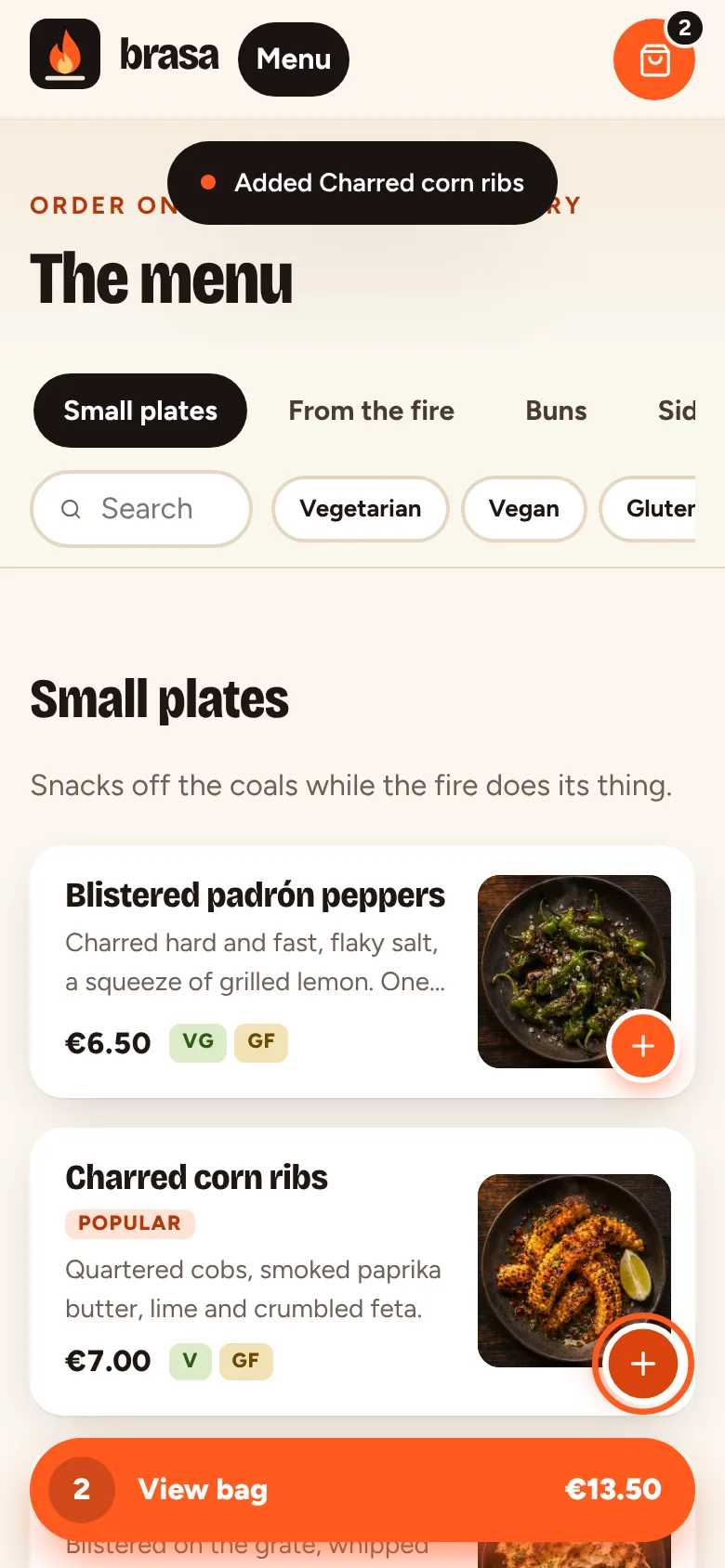
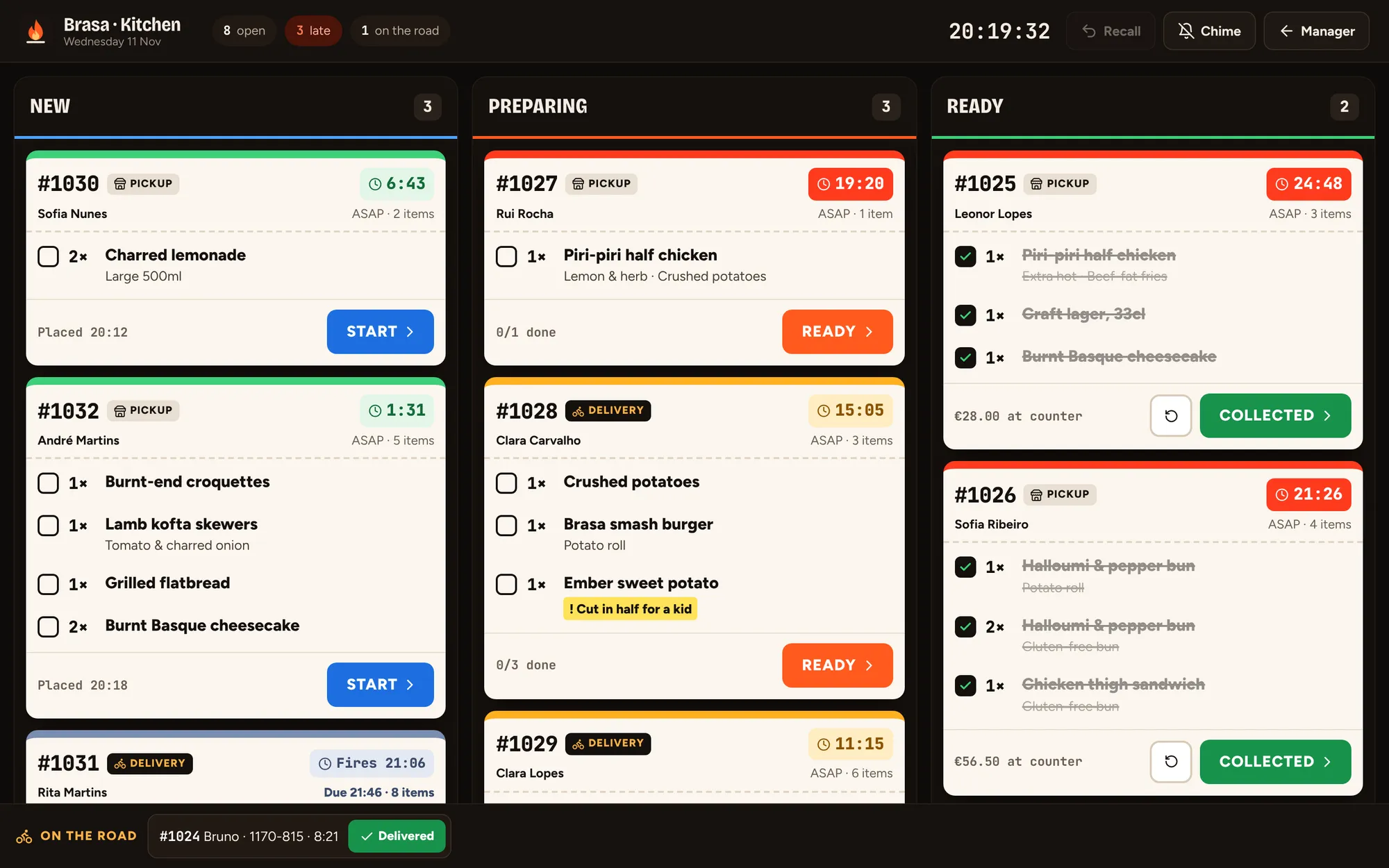
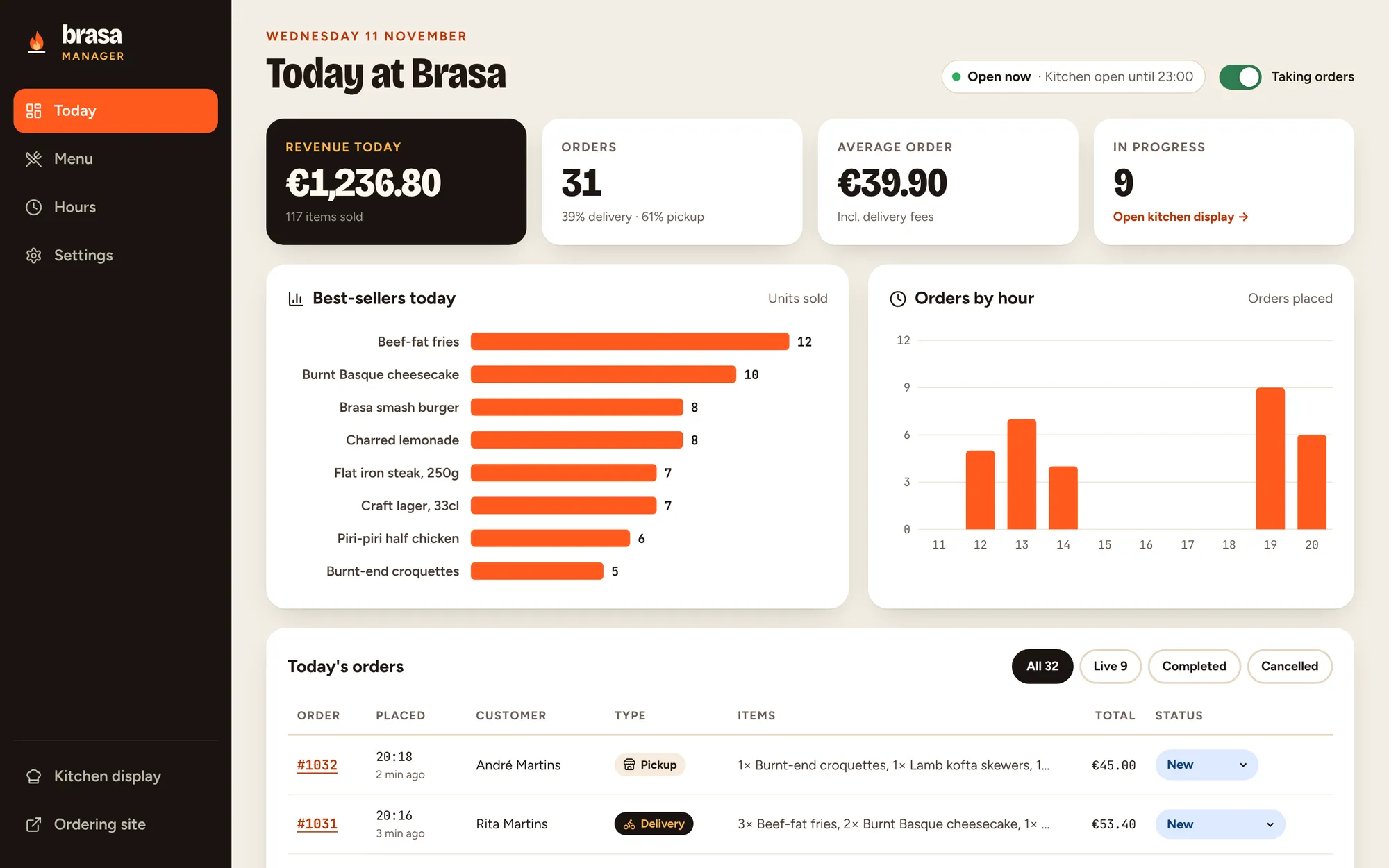
Brasa connects the guest, the kitchen and the manager: an ordering site with real modifiers and delivery zones, a kitchen screen that tickets arrive on in real time, and a dashboard for the day.
01 The brief
Restaurants pay heavy commissions to marketplaces for orders they could take themselves. We set ourselves the brief of a restaurant's own ordering system, complete from the guest's phone to the pass.
02 Our approach
We mapped the service from order to collection and designed each screen for where it lives: a phone in a hand, a screen above a hot grill, and a laptop in the office.
03 Key decisions
Three screens, three contexts
A phone in a hand, a screen above a hot grill and a laptop in the office need different designs. Each view is built for where it lives, and all three share the same orders.
Legibility over style in the kitchen
Large type, high contrast, colour-coded timers and big bump buttons that work with greasy fingers at two metres.
Hours drive everything
Opening hours power the open-now badge, the ASAP option and every pickup slot, so the site never promises food the kitchen cannot cook.
Every screen up to date
Orders appear on every screen the instant they are placed, and two people working at once never undo each other’s changes.
What it does
Features, fully working
- 01
A menu that makes you hungry
Photographed dishes, a sticky category bar that follows your scroll, search and dietary filters, with sold-out dishes greyed out.
- 02
Modifiers done properly
Required choices like doneness and sauce, priced extras with limits and kitchen notes, all validated before anything reaches the bag.
- 03
Pickup or delivery
Delivery zones by postcode with their own fees, minimums and times, and ASAP or 15-minute slots worked out from the opening hours.
- 04
Live order tracking
Guests watch their order move from received to on the fire to ready, updating the moment the kitchen bumps it.
- 05
Kitchen display
A high-contrast ticket board with timers that turn amber and red, item check-off, bump, send-back and recall.
- 06
Menu and hours control
Mark dishes sold out, edit prices and opening hours, and see it reflected on the menu and checkout instantly.
- 07
Manager dashboard
Revenue, orders, average order, best sellers and orders by hour for today, with every order one click away.
The look
Charcoal, ember, flame and cream. The dark hero and kitchen board feel like the inside of the grill, while the cream ordering pages stay calm and easy to read. Dish photography is shot overhead on charcoal stoneware so the whole menu reads as one set.
#1A1411#FF5A1F#FFB347#F6ECDC#2F7D4FBricolage Grotesque, condensed and heavy, for headlines and dish names. Figtree for reading, JetBrains Mono for order numbers, timers and prices in the kitchen.
→ Where it could go next
- Online card payments and tips
- Connect the kitchen to the till
- Delivery rider app with live location for guests
- A phone and chat ordering assistant that sends orders straight to the kitchen
Try Brasa yourself
It is a real, working product, running right here. Click around, and anything you change is saved in your browser.
Open full screen ↗