Invoicing app
Margin
Invoicing, expenses and an honest cash forecast for freelancers and small studios.
- Type
- Invoicing app
- Platform
- Web app, with invoices ready to print
- What we did
- Product design, Visual identity, Building the app, Print design
- Origin
- In-house product
- Year
- 2026
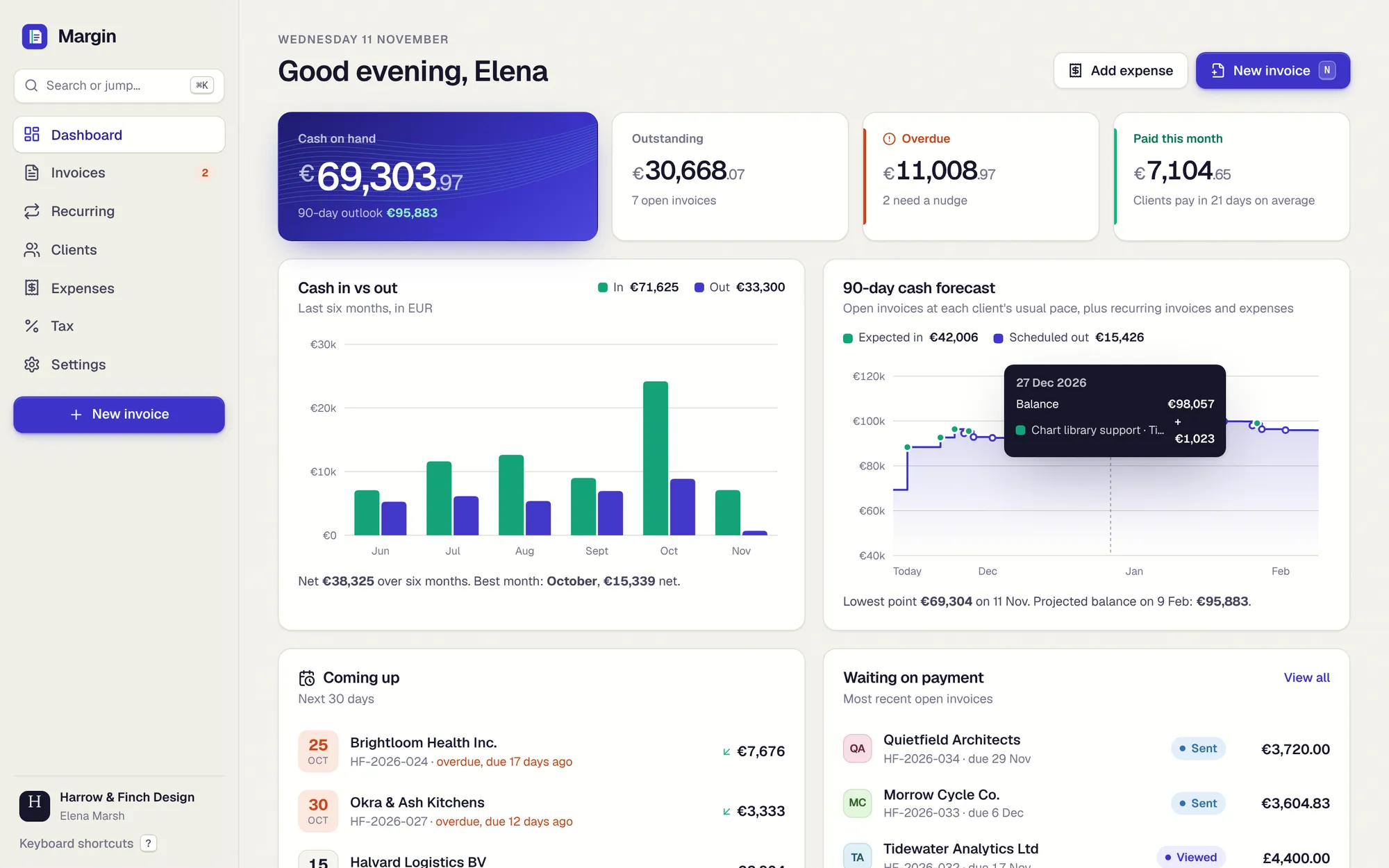
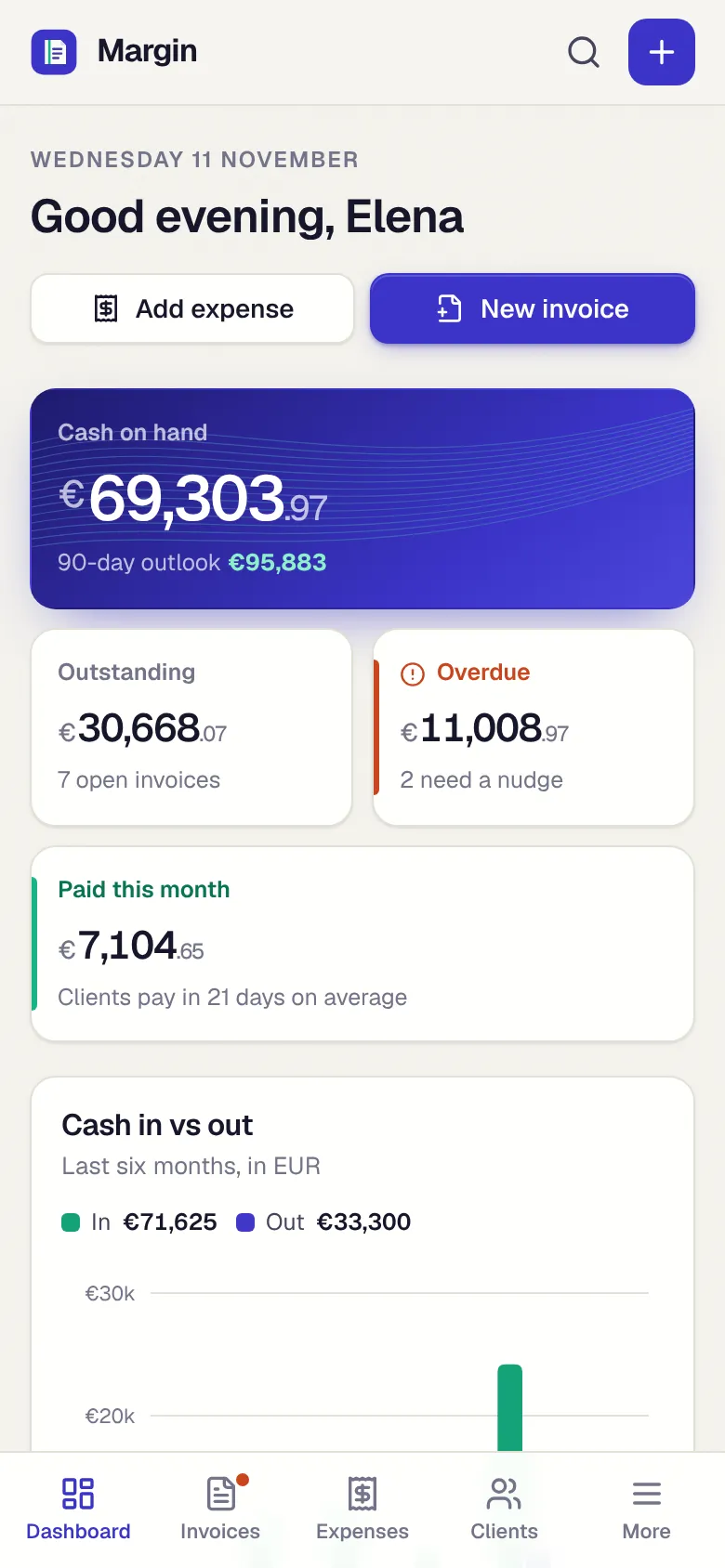
Margin answers the three questions every freelancer asks about money: who owes me, how late do they usually pay, and will I be fine in three months? It sends invoices that look properly printed, handles VAT and currencies, and forecasts cash from real payment behaviour.
01 The brief
Small studios tend to run their money from an invoice template, a spreadsheet of costs and a vague feeling about next month. We set ourselves the brief of one calm tool that replaces all three, stays fast enough to open every day, and treats numbers with the care an accountant would.
02 Our approach
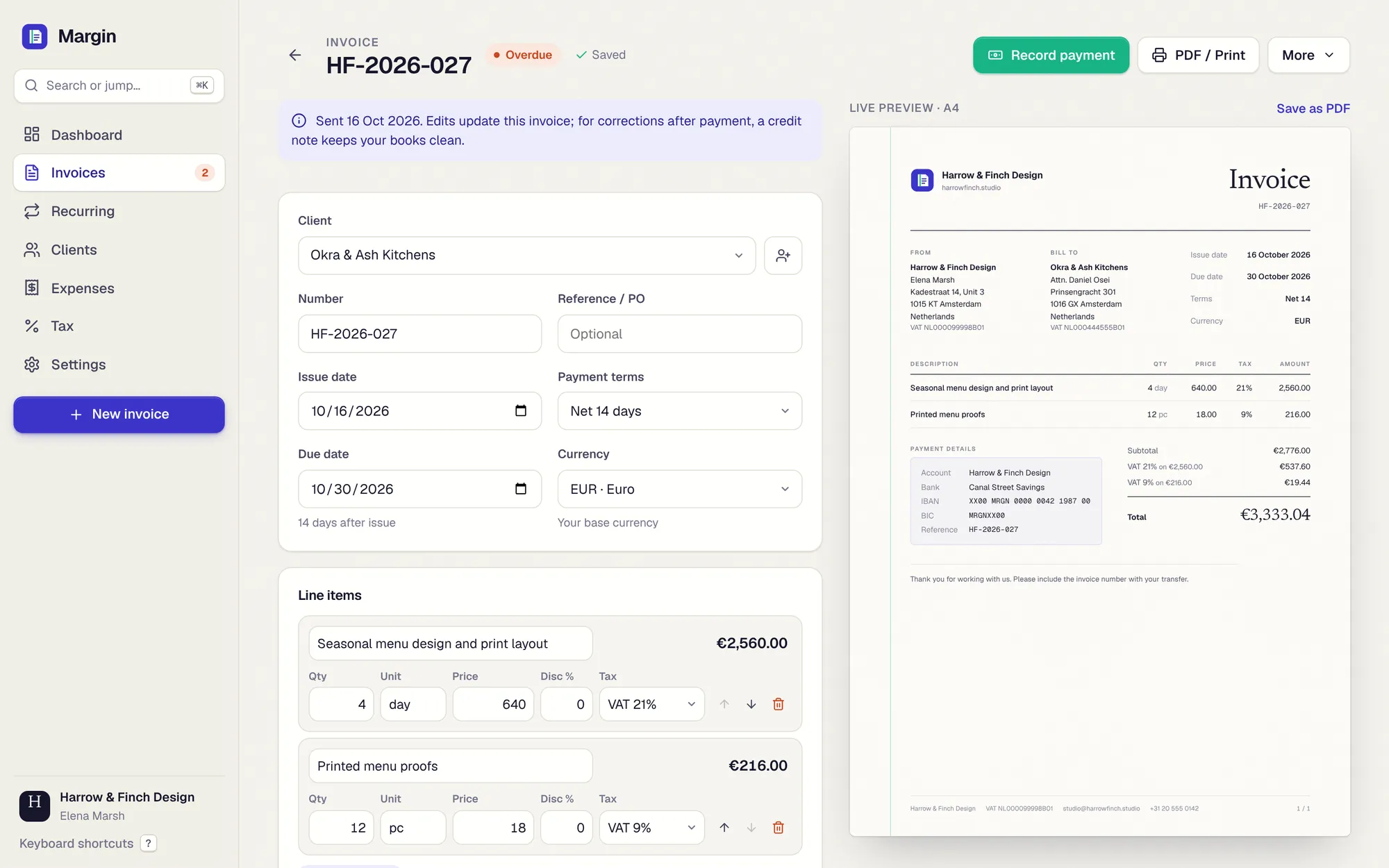
We designed the invoice first, as a printed A4 object, and built the app around it: the live preview and the printed page are the same design, so "Save as PDF" is exactly what you see. Then we made the forecast real instead of decorative, computed from each client’s own history.
03 Key decisions
Mint means money received
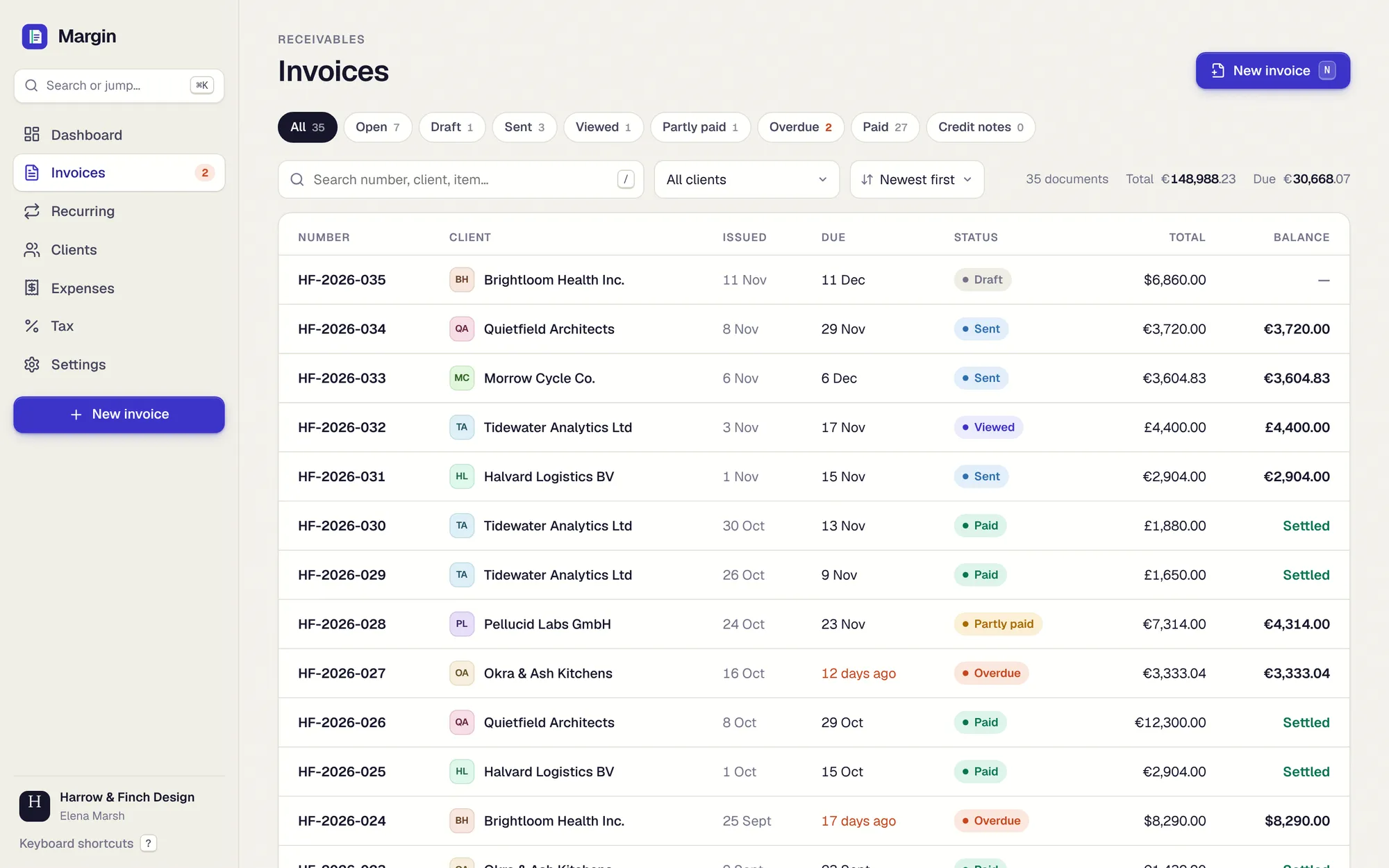
One colour is reserved for cash that has actually arrived, and nothing else. Overdue gets a warm red. Status is always paired with a label, never colour alone.
Numbers are the hero
Tabular numerals everywhere, and large amounts set the currency symbol and cents smaller, so the whole number reads at a glance.
Print is a first-class screen
The invoice has a hairline margin rule, a serif title, bank details that are easy to copy and a "Paid" stamp. It is designed to look its best on paper.
Quick entry that learns your habits
Adding a receipt fills in today’s date, your usual category and VAT, and a known vendor’s usual amount. It is labelled plainly for what it is.
What it does
Features, fully working
- 01
A forecast you can trust
Every open invoice lands on the date that client usually pays, plus future recurring invoices and expenses. The balance steps forward day by day for 90 days, with the low point marked.
- 02
Editor with a live A4 preview
Line items, units, discounts, several VAT rates including reverse charge, three currencies and payment terms. It autosaves as you type and prints cleanly to PDF.
- 03
The whole invoice lifecycle
Draft, sent, viewed, partly paid, paid and overdue. Record part payments, copy a reminder, duplicate, or issue a credit note that settles against the original.
- 04
Recurring, handled
Weekly to yearly schedules for invoices and expenses, created automatically when due, sent or kept as drafts, with a 90-day timeline.
- 05
Clients by behaviour
Billed, received and outstanding per client, average days to pay against their terms, and a payment-rhythm chart.
- 06
VAT made easy
Collected versus paid per quarter, broken down by rate, every document listed, and a CSV export for your accountant.
- 07
Quick for daily use
Simple shortcuts for a new invoice, a new expense, search and jumping anywhere, for people who use it every day.
The look
Off-white paper with a faint grain, a deep indigo for structure and a mint for money in. On phones the sidebar becomes a bottom tab bar, dialogs become sheets and the editor splits into Edit and Preview tabs.
#3730A3#1E1B4B#3DD9A4#F7F5F0#E5484DGeist with tabular numerals for the interface, Geist Mono for references and IBANs, and Newsreader for the invoice title.
→ Where it could go next
- Bank feeds to match payments to invoices automatically
- Online payment links on every invoice through a payment provider
- Accountant access and exports to common bookkeeping tools
- Electronic invoices for countries that require them
Try Margin yourself
It is a real, working product, running right here. Click around, and anything you change is saved in your browser.
Open full screen ↗